
Electric screwdriver not working: what to check first and how to fix common problems
Quick answer: Check the battery first — charge it fully with the correct charger and check the charging light. Then push the forward and reverse switch fully to one side until it clicks, and check that the bit is fully seated and matches the screw. Most cases are a flat battery, a switch stuck in the middle, a worn or wrong bit, or a screw that is too tight for the tool.
An electric screwdriver not working is frustrating, especially in the middle of a job. The good news is that most faults have a simple cause. A flat battery, a loose bit, a switch stuck in the middle, or a screw that is too tight for the tool will stop it working, and none of these mean the tool is broken for good. A careful check, in the right order, will find most problems in a few minutes.
This guide explains what to check first when your electric screwdriver is not working, how to tell a battery problem from a switch or motor problem, and when to repair the tool and when to replace it. It is written for home use, DIY, furniture assembly, and light repair work. It does not ask you to open the tool or the battery pack, and it does not assume you know anything about motors or wiring.
If you are new to the tool itself, start with our guide on the electric screwdriver, which explains what it does and how it differs from a drill. Once you know how the tool should behave, a fault is much easier to spot.
Safety first
Before you check anything, make the tool safe. Turn it off, remove the bit, and take the battery off if it is removable. Keep your fingers away from the bit holder, and do not press the trigger while you are looking at the tool. If the battery is hot, swollen, or leaking, stop at once. Do not try to charge it or use it again, and do not puncture it or put it in normal household waste. Follow local rules for battery disposal.
Check the battery first
A flat or faulty battery is the most common reason for an electric screwdriver not working. If the tool does nothing at all when you press the trigger, the battery is the first thing to check.
Put the tool on charge and watch the charging light. A steady red or orange light usually means it is charging, and a green light usually means it is full. If no light comes on, check the socket, the cable, and the plug, and try a different socket. A loose plug or a damaged cable will stop charging, even if the tool itself is fine. Our charging guide explains this in full, but the short version is simple: use the charger that came with the tool, make sure the plug is fully in, and let it charge until the light shows full.
If the light shows full after only a few minutes, but the tool still runs flat quickly, the battery may be old or damaged. Charge it fully, use it for a normal job, and see how long it lasts. If it still runs flat very quickly, the battery may need replacing. Check the maker’s advice on replacement batteries.
Check the switch and trigger
The forward and reverse switch is a small control that many people forget. On most models it sits above the trigger, and it has three positions: forward, reverse, and off in the middle. If the switch is in the middle, the trigger will do nothing, and the tool will seem dead. Push the switch fully to forward or reverse until it clicks, then try the trigger again.
Check the trigger itself. It should move smoothly and spring back when you let go. If it feels stuck, grit or dust may be caught around it. Wipe the area gently with a dry cloth, and do not push anything metal into the switch. If the trigger is loose or wobbles, or if it only works when you press it very hard, the switch may be worn. That is a repair job, not a home fix, so contact the maker.
Some models have a separate on-off button or a safety lock. Check the maker’s guide for your model, because a safety lock can look like a fault if you do not know it is there. A mini electric screwdriver for electronics often has a small lock or a different switch layout from a standard home model, so check the guide before you assume the switch is broken.
Check the bit and the screw
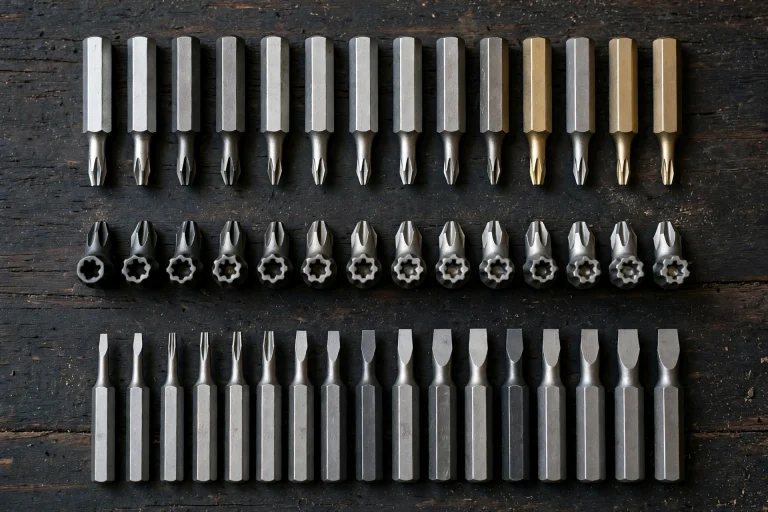
Sometimes the tool is fine, and the problem is the bit or the screw. If the motor runs but the screw does not turn, take the bit out and look at it. A worn or damaged bit will slip in the screw head, and the screw will not move. A bit that does not fit the screw head exactly will do the same. Use the bit that matches the screw head, and replace a bit that is chipped, bent, or worn smooth.
Check that the bit is fully seated in the holder. Push it in until it clicks or locks, and pull it gently to make sure it is held. A bit that is only half in will spin without turning the screw, and it can damage the screw head. If the bit holder itself is loose or damaged, do not force it. That is a repair job.
Check the screw too. A screw that is rusted, painted over, or driven into very hard material may be too much for a small electric screwdriver. Try turning it a little by hand with a manual screwdriver first, to break it free. If the screw head is already stripped, a normal bit will not grip it, and you will need a screw extractor or a different method to remove it. Do not keep running the motor against a stuck screw, because that can strip the head further and overheat the tool.
The motor runs but the screw will not turn
If you can hear the motor but the screw does not move, the problem is usually torque, grip, or the wrong setting. Check the torque setting first. Many models have an adjustable torque ring near the chuck. A low torque setting is right for small screws and electronics, but it will not drive a long screw into hard wood. Turn the torque up a little and try again, but do not jump straight to the highest setting, because that can strip the screw head or crack soft material.
Hold the tool straight, in line with the screw, and press firmly but gently. If you tilt the tool, the bit can slip out of the screw head. Start slowly, let the bit sit in the screw, then increase the speed. If the screw still will not turn, check that you are using the right bit for the screw type. A phillips screwdriver bit will not work well in a torx screw, and a flat head bit will slip in a phillips screw.
If the motor sounds weak or slows down under load, the battery may be low, even if the light showed full. Charge it fully and try again. If the motor makes a grinding or clicking sound, stop at once. That can mean a damaged gear or chuck, and running it further can make the damage worse.
No power at all: work through the list
When the tool does nothing at all, work through this list in order. Stop at the step that fixes it, and do not skip ahead.
- Check the battery. Charge it fully with the correct charger, and check the charging light.
- Check the switch. Push the forward and reverse switch fully to one side until it clicks.
- Check the trigger. Press it firmly and let it spring back. If it feels stuck, clean around it gently.
- Check the bit. Remove it, check it is not damaged, and seat it fully in the holder.
- Check the screw. Try a different screw, or try turning the stuck screw by hand first.
- Check the temperature. Let a very cold or very hot tool return to room temperature, then try again.
- Try a spare battery, if you have one. If the spare works, the first battery is the problem.
If none of these steps helps, the fault is probably inside the tool, and it needs a repair service or a replacement. Do not open the casing to look for it.
Comparison table: symptom, likely cause, and fix
| Symptom | Likely cause | What to try first |
|---|---|---|
| Nothing happens, no sound | Flat battery, switch in the middle | Charge fully, push the switch fully to forward |
| Light on, but tool will not run | Battery fault, worn switch | Try a spare battery, check the trigger |
| Motor runs, screw does not turn | Wrong bit, low torque, stripped screw | Fit the right bit, raise the torque, try by hand |
| Tool stops after a few screws | Battery low or old | Charge fully, test how long a full charge lasts |
| Motor sounds weak or slow | Low battery, cold battery, heavy load | Charge fully, warm to room temperature, use a drill for heavy work |
| Grinding or clicking sound | Damaged gear or chuck | Stop at once, contact the maker |
This table is a general guide. Individual models vary, so always check the maker’s troubleshooting advice for your own tool.
When to repair and when to replace
A simple fault is worth fixing. A flat battery, a worn bit, or a switch stuck in the middle costs little or nothing to put right. A replacement battery or a new set of bits is usually cheaper than a new tool, and a screwdriver set with spare bits can keep an older tool useful for years.
A repair is less worthwhile when the motor, the gears, or the battery pack itself is damaged, especially on a cheap tool. Ask the maker what a repair would cost, and compare it with a new model. If the tool is still under warranty, do not open it, because that can remove the warranty.
Frequently asked questions
Why is my electric screwdriver not working at all?
The most common causes are a flat battery and a switch stuck in the middle position. Charge the battery fully with the correct charger, push the forward and reverse switch fully to one side, and try the trigger again.
Why does my electric screwdriver stop after a few screws?
The battery is probably low or old. Charge it fully and test how long a full charge lasts on a normal job. If it still runs flat very quickly, the battery may need replacing.
Why does the motor run but the screw will not turn?
The bit may be wrong or worn, the torque may be too low, or the screw may be stuck or stripped. Fit the right bit, raise the torque a little, hold the tool straight, and try turning a stuck screw by hand first.
Why does my electric screwdriver make a clicking sound?
A clicking or grinding sound can mean a damaged gear or chuck. Stop at once, do not keep running the tool, and contact the maker or a repair service.
Can I fix an electric screwdriver myself?
You can fix simple problems yourself, such as charging the battery, fitting the right bit, and moving the switch. Do not open the tool casing or the battery pack. Internal faults need a repair service.
Is it worth repairing an old electric screwdriver?
It depends on the fault and the cost. A new battery or a new set of bits is usually worth it. A damaged motor or gear on a cheap tool often costs more to repair than to replace, so compare the repair cost with a new model first.
Conclusion
An electric screwdriver not working is usually a simple problem, not a broken tool. Start with the battery, then the switch, then the bit and the screw, and work through the list in order. Most faults are a flat battery, a switch in the middle, a worn bit, or a screw that is too tight for the tool, and all of these can be checked in a few minutes without opening the tool.
If the checks do not fix the problem, contact the maker or a repair service. Look after the tool by charging it after use and using the right bit for each screw.